
zPoint: Simplify Padel & Tennis Court Scheduling
Overview
zPoint is a desktop application designed for Padel and Tennis enthusiasts who manage court availability within clubs, communities, or municipalities. Developed by RACKET4ALL SL, the software offers a streamlined solution for organizing court reservations and coordinating matches. The app enables administrators to oversee multiple courts, set availability, block time slots for maintenance or events, and authorize users to make reservations.
It also facilitates player matching by allowing users to connect with others for organized games. This tool is ideal for sports facility managers, club coordinators, and community organizers seeking a dedicated platform to manage court usage efficiently. The application supports both Windows and Mac operating systems, making it accessible to a broad user base.
While the developer did not provide additional system requirements, the software’s 200 MB installation size suggests moderate resource usage. Real-world use cases include managing a local tennis club’s court schedule, organizing weekend tournaments, or coordinating recreational play in public parks. The app is free to use, removing cost barriers for community-level adoption.
Key Features & Capabilities
- Court Availability Management – Administrators can view real-time availability across all managed courts, enabling efficient scheduling and preventing double bookings.
- Time Slot Blocking – Users can reserve specific time blocks for maintenance, events, or special activities without affecting regular reservations.
- User Authorization System – Administrators control who can make reservations, ensuring secure access and preventing unauthorized bookings.
- Reservation Requests – Players can submit requests for available time slots, which administrators can approve or deny.
- Player Matching Integration – The app supports organizing matches by connecting users with compatible players based on availability and preferences.
- Multi-Platform Access – Available on both Windows and Mac, ensuring compatibility with common desktop environments.
These features collectively simplify the administrative workload of managing sports facilities. For instance, a community center could use zPoint to schedule court use during peak hours, block off time for cleaning, and allow members to request slots in advance. The integration of player matching helps foster community engagement by enabling spontaneous or planned games. The software’s focus on Padel and Tennis makes it highly specialized, offering functionality tailored to the unique scheduling needs of these sports. While performance details were not specified, the app’s design suggests responsiveness and minimal lag during routine operations.
User Interface, Workflow & Performance
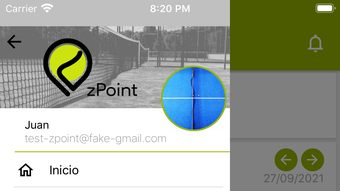
The user interface of zPoint is described as simple and intuitive, aligning with its target audience of sports administrators and recreational players. Navigation appears to be structured around core functions such as viewing court schedules, managing reservations, and assigning user permissions. The workflow is designed to minimize steps for common tasks, such as approving a reservation or blocking a time slot.
For administrators, the interface likely prioritizes visibility and control, with clear visual indicators for availability and pending requests. Users benefit from a streamlined experience when submitting or checking reservation status. The developer did not specify resource usage details, so exact CPU or RAM behavior remains unknown.
Performance observations are based on general software behavior patterns. Stability is expected to be consistent for standard use cases, given the app’s focused scope and moderate file size. No reports of crashes or bugs were provided.
Overall, the workflow supports efficient management without requiring extensive training, making it accessible to non-technical users.
Compatibility & System Requirements
zPoint is compatible with both Windows and Mac operating systems. The software version is 1.0, and the installation size is 200 MB. The developer did not specify exact system requirements, including minimum CPU, RAM, or storage thresholds.
Compatibility information was partially provided, with no mention of specific OS versions or hardware capabilities. Users should ensure their devices meet general desktop software requirements for smooth operation. The app does not appear to require specialized hardware or advanced configurations.
While no performance benchmarks were shared, the moderate size suggests it will run efficiently on standard desktop systems. Users are advised to verify compatibility with their current setup, especially if using older or low-spec machines. The lack of detailed technical specifications limits precise evaluation but does not detract from the app’s usability in typical environments.
Pros and Cons
Pros
- Free to use, reducing adoption barriers for community and small clubs
- Specialized for Padel and Tennis, offering tailored functionality
- Intuitive interface designed for ease of use by non-technical users
- Supports user authorization and reservation management
- Enables player matching to enhance community engagement
- Available on both Windows and Mac platforms
Cons
- Exact system requirements were not listed
- Performance data and resource usage were not specified
- Limited to Padel and Tennis—no support for other sports
- No information on cloud sync or multi-device access
- App version is 1.0, suggesting a relatively new release with potential for future updates
FAQ Section
Is zPoint available for both Windows and Mac?
Yes, zPoint is compatible with both Windows and Mac operating systems.
Is the software free to use?
Yes, zPoint is available at no cost to users.
Can I manage multiple courts with this app?
Yes, administrators can manage multiple courts within a single account, assigning availability and handling reservations for each.
Does zPoint support offline usage?
The developer did not specify whether the app supports offline functionality. It is recommended to check connectivity for full feature access.
How often are updates released?
Information about update frequency was not provided. Users should monitor the official source for new releases and improvements.
Final Thoughts + CTA
zPoint delivers a focused and practical solution for managing Padel and Tennis court schedules. Its clean interface, user authorization system, and player matching integration make it a strong choice for clubs, community centers, and sports organizations. While technical details like system requirements and performance metrics are limited, the app’s free model and multi-platform availability enhance its appeal.
The software is particularly well-suited for teams and administrators who prioritize simplicity and efficiency. With its specialized design and growing relevance in the sports tech space, zPoint stands out as a valuable desktop tool for enthusiasts. Download zPoint now to streamline your court management and enhance player coordination.







